Open 24 hours, every day  ·  48 Centennial Rd Unit 10, Orangeville
Call us: (647) 293-6994
★★★★★ 4.9 · 150 Google reviews

Indoor golf,
dialled all the way up.

A high-end, luxury and exclusive golf simulator at the front of 48 Centennial Rd in Orangeville, built for an immersive and realistic round.

Uneekor launch monitors, GSPro software, over 1,000 courses, and a room that is entirely yours.
$60/HR
Private room rate
1,000+
Courses on GSPro
18 FT
Ultrawide screen
24/7
Always open
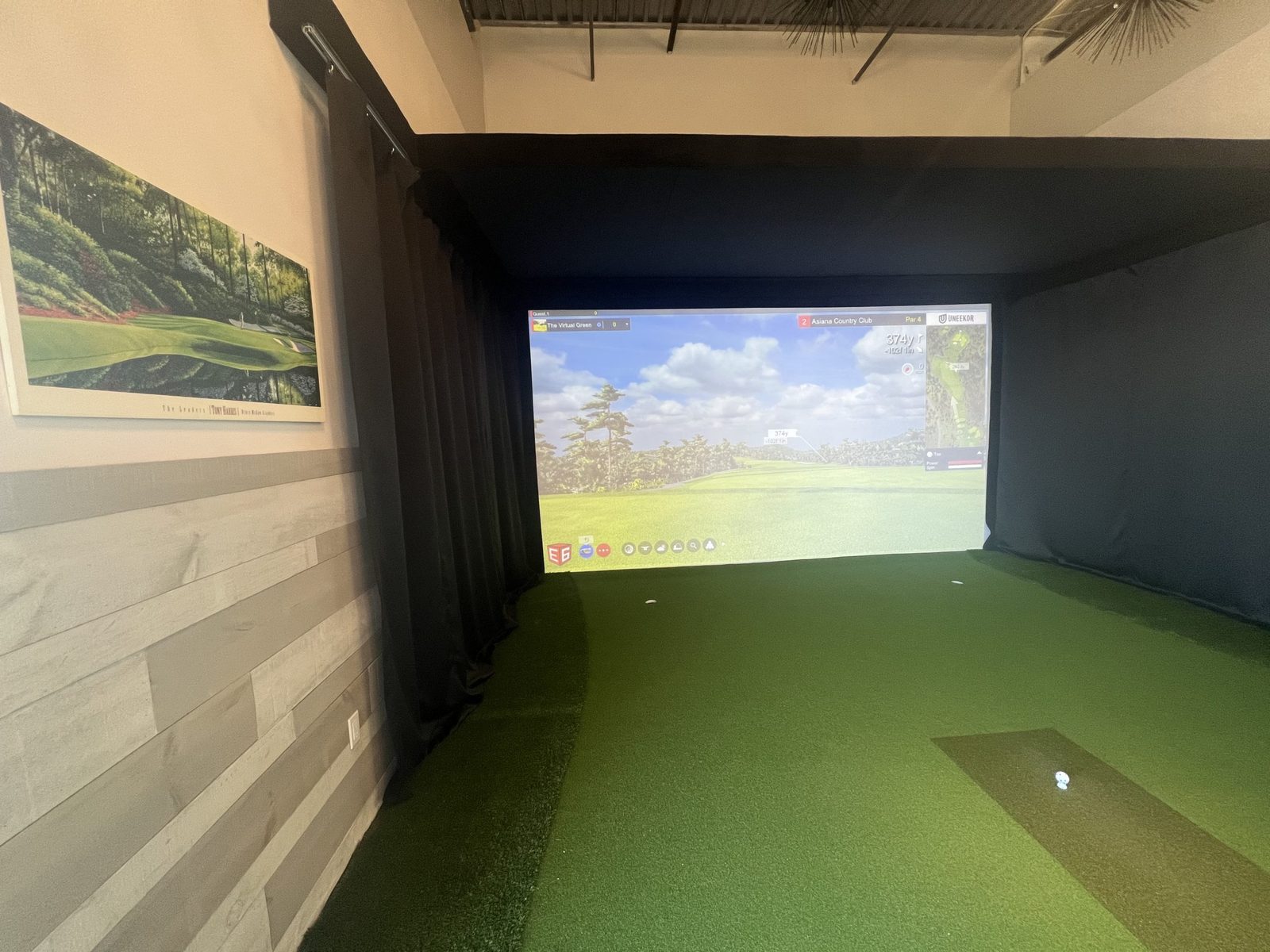
A private golf simulator bay at The Virtual Green showing a championship course on the ultrawide screen
The private room
$60 an hour for up to 4 people, all inclusive.

Book the golf bay

The private room is $60 an hour for up to 4 people, all inclusive. Booking a longer session with a bigger group? You save when you book over 4 hours, applied automatically online.

Want instant confirmation? Book on our booking page and your access code lands by email.

Rather talk? Call (647) 293-6994, any time, day or night.

Or book instantly on the booking page and get your access code by email.
About our golf simulators

The best seat in Ontario golf is indoors

Our simulator is equipped with the latest technology: premium courses, a fully private experience, a 65 inch TV with sports channels, and an 18 foot ultrawide play screen giving you the best viewing experience in all of Ontario.

Private room

For up to 4 people. Every rate is all inclusive. Two new open bays are coming soon.

Powered by Uneekor

$60/HRprivate room, up to 4 people

Putting counts here too

The screen sits 13 feet from the centre of the strike mat, with 10 foot gimmes on the green. Real feel, honest numbers, every shot tracked by the overhead Uneekor.

Book a round
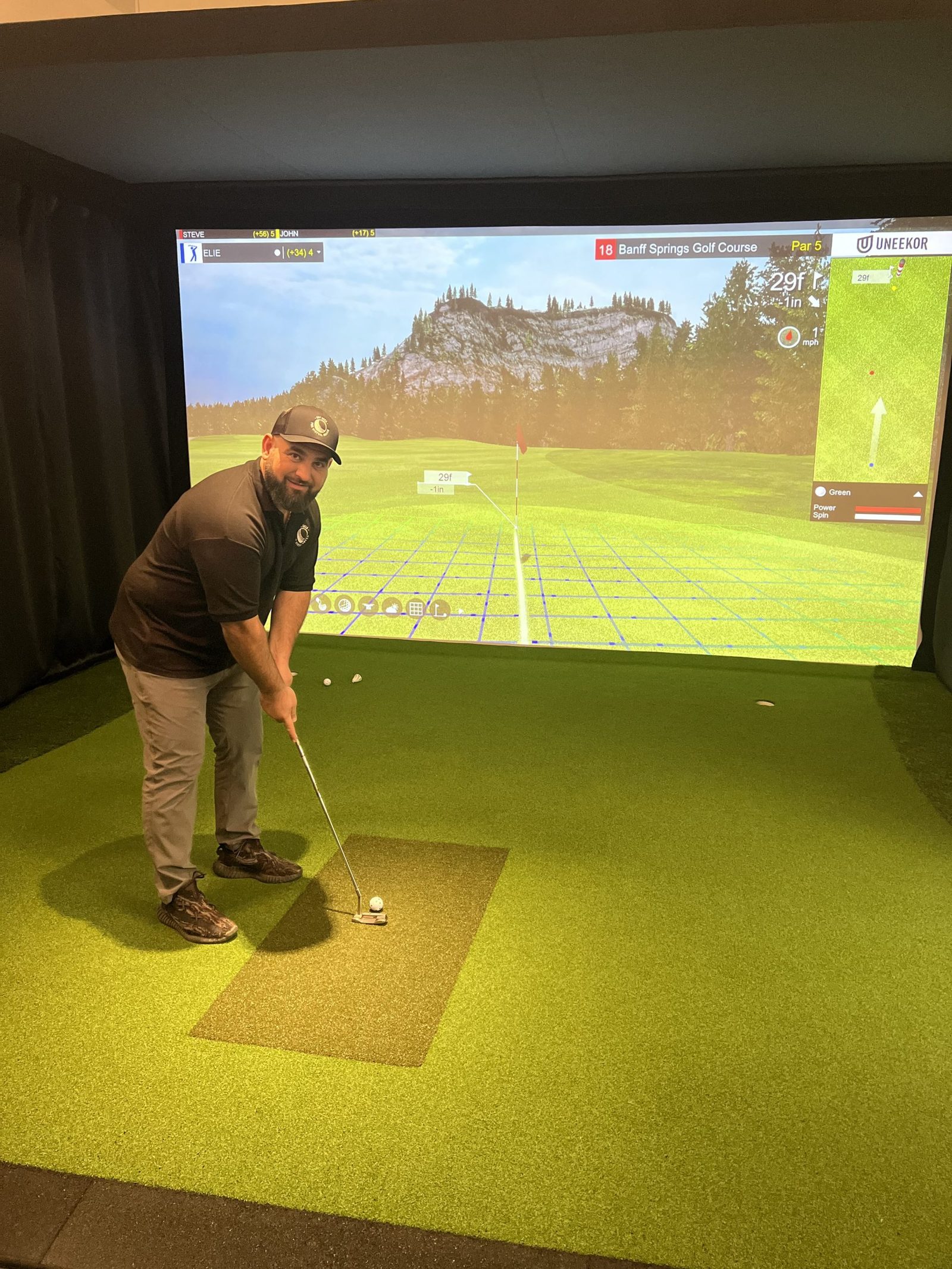
A player lining up a putt in The Virtual Green golf bay with Banff Springs on the screen
Setup

Your first five minutes, handled

Our simulators run on Uneekor launch monitors with GSPro software and over 1,000 courses. Here is how a session starts.

  1. Step 1: Place the ball in the middle of the strike mat.
  2. Step 2: On the computer home screen, open the POD icon.
  3. Step 3: Click Go in the POD application.
  4. Step 4: Open GSPro, click Play Golf, add your guests, then click Stroke Play.
  5. Step 5: Pick your course, and make sure the LEDs are lit on the launch monitor before you hit, so it reads accurately.

Ball not tracking? Quick fix.

  1. Ball outside the strike zone: keep the ball in the general middle of the strike mat. The overhead launch monitor lights up bright red when the ball is placed.
  2. Session timing: the booked session may not have started yet, or the time is up.
  3. Multiple balls on the mat: keep one ball on the strike mat at a time.
  4. POD not running: press the Windows key, click Go, then minimize the app. Do not close it or hit exit. Reopen GSPro and you are ready to play.
  5. Still not working? Call us at (647) 293-6994.

Tee it up tonight.

Private golf in Orangeville, 1,000+ courses deep, open around the clock.

Book Your Session Call (647) 293-6994
Call Now Book Now